
School Project Kid Course Content
We at Aonlinetraining offer interactive online courses (e-learning) for Kid Course.
Learn School Project Kid Course, interactive training program beginining right from the basics of coding. Book a Free Demo Class Now
Students for School Project Kid Course requires 40 hours to Study / Complete the course
School Project Kid Course
Photoshop
Microsoft Powerpoint
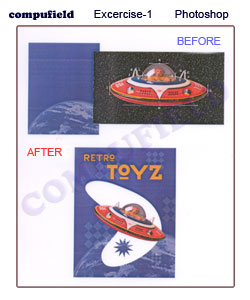
Photoshop Excercise-1 : Vector Drawing Techniques
Scope of the Excercise : Understanding Vector Drawing In Photoshop
Tools Used : Pen Tool, Shape Tool
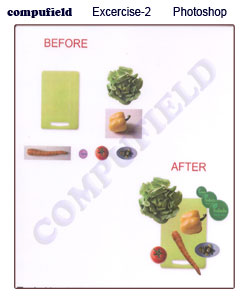
Photoshop Excercise- 2
Scope of the Excercise : Creating Design by Using Selection Tool
Tools Used : All Different type of selection Tool, Move Tool
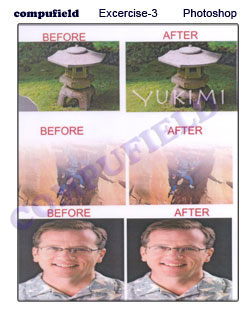
Photoshop Excercise- 3
Scope of the Excercise : Edit image by Using Clone stamp Tool, Patch Tool, Spot Healing Tool.
Tools Used : Clone stamp Tool, Patch Tool, Spot Healing Tool.
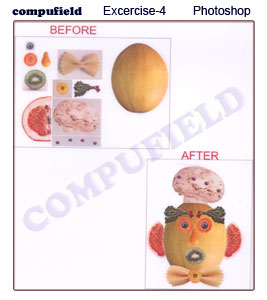
Photoshop Excercise- 4
Scope of the Excercise : Edit image by Using Clone stamp Tool, Patch Tool, Spot Healing Tool.
Tools Used : All Different type of selection Tool, Crop Tool, Move Tool, Transfomation, Copy.
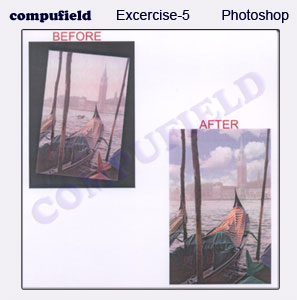
Photoshop Excercise- 5
Scope of the Excercise : Edit image by Using Clone stamp Tool, Patch Tool, Spot Healing Tool.
Tools Used : Crop Tool, Rotation, Replace Color, Paste into, Changing Brightness and contrast, Saturation.
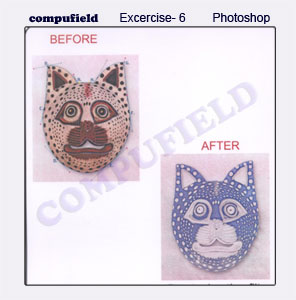
Photoshop Excercise- 6
Scope of the Excercise : Edit image by Using Clone stamp Tool, Patch Tool, Spot Healing Tool.
Tools Used : Various Pen Tool option, Filter effects.
Introduction
- To Start the Program
- What is powerpoint
- Parts of powerpoint window
- Overview of Menu bar
Edit Menu
- Cut & Paste
- Copy & Paste
- Find
- Replace
View Menu
- Normal
- Slide Sorter
- Notes Page
- Slide Show
- Slide Master
- Title Master
- Black and White
- Toolbars
- Ruler
- Header and Footer
Insert Menu
- New Slide
- Slide Number
- Date & Time
- Comment
- Slide Number
- Data & Time
- Comment
- Picture
- Text Box
- Table
- Object
Format Menu
- Font
- Bullet and Numbering
- Slide Layout
- Slide Color Schema
- Background
- Design Templates
- Colors and Lines
Tool Menu
- Auto Correct
- Macro
- Customize
- Option
Slide Show Menu
- View Show
- Set Up Show
- Action Buttons
- Present Animation
- Custom Animation
- Slide Transition
- Custom Shows