Graphics Designing For Juniors course
We at Aonlinetraining offer interactive online courses (e-learning) for Graphics Designing For Juniors courses.
Learn School Project Graphics Designing For Juniors course, interactive training program beginining right from the basics of designing. Book a Free Demo Class Now
Students for Web Designing requires 40 hours to Study / Complete the course
Graphic Designing For Junior Course
Photoshop
Coreldraw
Flash
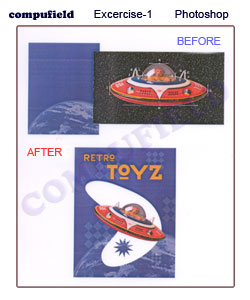
Photoshop Excercise-1 : Vector Drawing Techniques
Scope of the Excercise : Understanding Vector Drawing In Photoshop
Tools Used : Pen Tool, Shape Tool
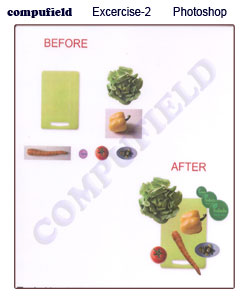
Photoshop Excercise- 2
Scope of the Excercise : Creating Design by Using Selection Tool
Tools Used : All Different type of selection Tool, Move Tool
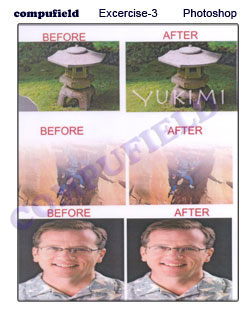
Photoshop Excercise- 3
Scope of the Excercise : Edit image by Using Clone stamp Tool, Patch Tool, Spot Healing Tool.
Tools Used : Clone stamp Tool, Patch Tool, Spot Healing Tool.
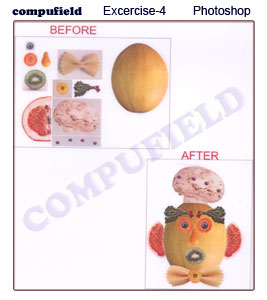
Photoshop Excercise- 4
Scope of the Excercise : Edit image by Using Clone stamp Tool, Patch Tool, Spot Healing Tool.
Tools Used : All Different type of selection Tool, Crop Tool, Move Tool, Transfomation, Copy.
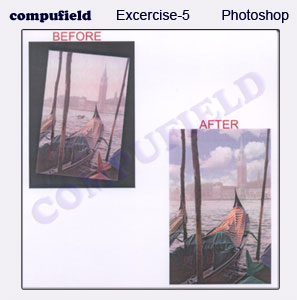
Photoshop Excercise- 5
Scope of the Excercise : Edit image by Using Clone stamp Tool, Patch Tool, Spot Healing Tool.
Tools Used : Crop Tool, Rotation, Replace Color, Paste into, Changing Brightness and contrast, Saturation.
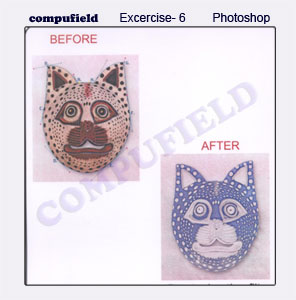
Photoshop Excercise- 6
Scope of the Excercise : Edit image by Using Clone stamp Tool, Patch Tool, Spot Healing Tool.
Tools Used : Various Pen Tool option, Filter effects.
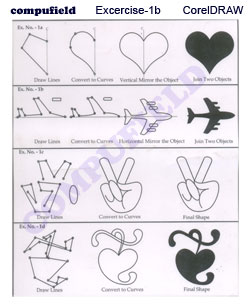
CorelDRAW Excercise-1
Scope of the Excercise : Creating Basic Design by Using Bezier Tools & Shape Tools
Tools Used : Freehand Tool, Bezier Tools, Elliptical Tools, Rectangle Tool, Outline Fill, Color Fill, Combine Tool
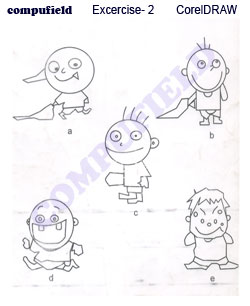
CorelDRAW Excercise-2
Scope of the Excercise : Creating Basic Design by Using Freehand Tool &Color Fill
Tools Used : Freehand Tool, Outline Fill, Color Fill
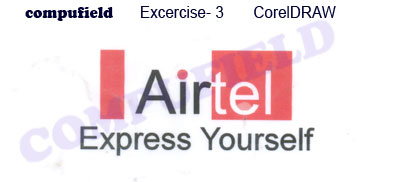
CorelDRAW Excercise-3
Scope of the Excercise : Creating Basic Design by Using Elliptical Tools & Text Tools
Tools Used : Elliptical Tools, Rectangle Tool, Outline Fill, Color Fill, Text Tools