aa home
aa faq
aonlinetraining - distance learning school, institute, college, academy, multimedia, digital art, interior and fashion designing, jewellery, jewelry, jewelery design, internet technology, and software engineering courses
 
online training free trial courses
 
Become our Bussiness Partner  
 
Multimedia Courses
 
Download Free Trial & Course Content of the Courses


Course Contents
   
Free Trial Session Is Limited To Phase I Only
 
  Course Content 
 
              
I)

Introduction to Jewelcad 5.1 (Update 4)

  1. File and View Toolbar
II)

Working With Database

  1. Inserting object from the database
  2. Learn to select object
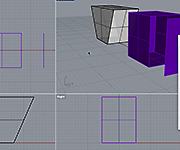
  3. Transform Toolbar
  4. Copy Toolbar
III)
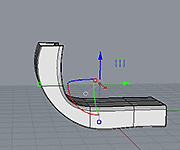
Deform Toolbar
 
  1. Bend tool
  2. Bend two size
  3. Taper
  4. Taper two size
  5. Scaled paper
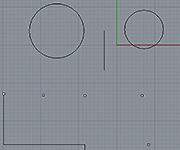
IV) Creating 2D drawings
 
  1. Curve Toolbar
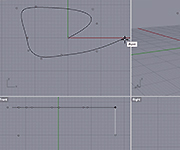
V) Creating custom 3D objects from 2D objects
  1. Learn to use the Extend Surface Toolbar
  2. Learn to use the Vertical & Horizontal Surface Toolbar
  3. Learn to use the Loft Surface Toolbar
  4. Learn to use the Pipe Surface Toolbar
  5. Introduction to Cross Section and Rails.
  6. Introduction to 1 Rail.
  7. Learn to use the vertical 1 rail.
  8. Learn to use the horizontal 1 rail.
  9. Learn to use the Loop World Origin
  10. Learn to use the Loop Center
  11. Understanding Section Extent.
  12. Introduction to 2 Rail.
  13. Learn to use Scale.
  14. Learn to use Semi Scale.
  15. Learn to use Scale and Semi Scale with different cross section
  16. Learn to create complex objects using scale and semi scale
VI)
Creating Loops for pendant
  1. Learn to use double cross section
  2. Learn to use Mirror cross section
  3. Learn to use Multiple cross section
  4. Learn to use Circular cross section
  5. Learn to create loops for pendents
VII)

Creating Rings

 
  1. Learn how to create simple 2 rail rings
  2. Introduction to 3 rails
  3. Learn to use 3 rails to create simple rings
  4. Learn to use 3 rails to create complex rings
  5. Learn to use 4 Rails
  6. Learn to create rings with channel settings
  7. Learn to create rings with channel settings
VIII)
Completing the Menu’s
 
  1. Learn to use the File menu
  2. Learn to use the Edit menu
  3. Learn to use the Pick menu
  4. Learn to use the Copy menu
  5. Learn to use the Surface menu
  6. Learn to use the Misc menu
 
Excercise - Ia


Go to the Top of the Page
 
SOLVE YOUR QUERIES ONLINE
Email:
Google Talk:
Yahoo Messenger:
Rediff Bol:
MSN Messenger:
Skype Talk:
Contact Person:
Mr. Faiyaz Khairaz: +91 9819006132
Office Address:
Head Office: Chinoy Mansion, First Floor, Block # 2, Opposite St. Stephens Church, Warden Road,
Mumbai(Bombay) - 400 036, Contact No.:+91-22-23676218 / 23679302 / 9819006132.


"Compufield -computer Institute specialized in fast track courses-multimedia,web designing,software engineering,certification courses,fashion,jewellery,interior designing courses. India,Bombay(Mumbai)." "COMPUFIELD-Leader in Global IT Corporate training having more than 20yrs exp.Programs offered MS-Office, Advance Excel, Java, Oracle, Linux and many more.""Compufield : free e-greeting cards, animated, musical greetings, ecards, postcards for Christmas, xmas, new year, eid, diwali, valentine's day, birthday, friendship, anniversary, love, congratulations, Halloween."