
Fashion Designing Free Trial
CorelDraw Freetrial
Photoshop Freetrial
Certificate Of Participation
Course Fee
Register For The Full Course
| Fashion Designing Using CorelDraw Free Trial | |
| Download CorelDraw Software- Click here | |
| 1) | Introduction |
| 2) | Interface |
| 3) | Toolbox |
| 4) | Basic shapes |
| 5) | Advanced shapes |
| 6) | Perfect Shapes |
| 7) | Editing Tools |
| 8) | Learn to Curve a Line |
| 9) | Closed Objects |
| 10) | Mirror |
| 11) | Rotate |
| 12) | Pen Tool |
| 13) | Outline Tool |
| 14) | Live Demo - Learn How To Make A T-shirt - 1 |
 |
|
| 15) | Live Demo - Learn How To Make A T-shirt - 2 |
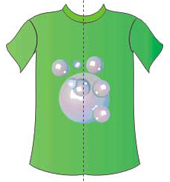 |
|
| 16) | Live Demo - Learn How To Make A T-shirt - 3 |
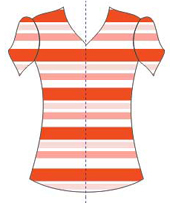 |
|
| 17) | Live Demo - Learn How To Make A T-shirt - 4 |
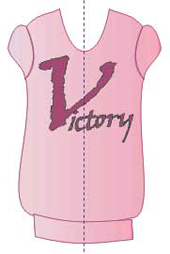 |
|
| Fashion Designing Using Photoshop Free Trial | ||
| 1) | Introduction To Photoshop | |
| 2) | Selection Tool
|
|
| 3) | Shortcut to Selection Tool | |
| 4) | Quick Selection Tool
|
|
| 5) | Magnetic Lasso Tools
 |
|
| 6) | Magic Wand Tools
 |
|
| 7) | Lasso Tools
 |
|
| 8) | Learn To Use Selection Tool 
|
|
| 9) | Learn To Use Color Correction
|
|
| 10) | Learn To Add Water Color Effect To A Sketch 
|
|
| 11) | Replace & Adjusting Dress On Female Picture 
|
|
| 12) | Colour Correction  
|
|
| 13) | Replace Texture on Female Model Dress   
|
|
| 14) | Adding Accessories & Dress   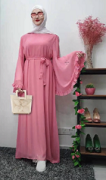
|
|
Three Steps to Earn a Certificate of Participation

1. You are just 4 steps away from your certificate
2. Begin by viewing the free trial class
3. Practice what you see in the videos on your computer
4. Email us your files on info@aonlinetraining.com
5. Our trainers will check your files
6. You are now eligible to receive your certificate
You will then be eligible to receive the Certificate of Participation.
A lucrative opportunity to acquire a certificate of Participation , all you need to do is to carefully view the videos. Then practice what has been taught to you in the appropriate software. Email us your work , you will then receive your certificate of Participation.
Diploma In Fashion Designing
Rs 20,000/- (US $500)
- CorelDraw X8
- Photoshop CC

