aa home
aa faq
aonlinetraining - distance learning school, institute, college, academy, multimedia, digital art, interior and fashion designing, jewellery, jewelry, jewelery design, internet technology, and software engineering courses
 
online training free trial courses
 
Become our Bussiness Partner  
 
Multimedia Courses
 
Download Free Trial & Course Content of the Courses
 
online web based learning 3d studio max course  
   
Course Contents
   
Free Trial Session Is Limited To Phase I Only
 
Phase 1
1)
Introduction to 3D Studio Max
  a) Salients features and applications
b)
Orthographic and Perspective view
2)
Toolbar & Menubar
a)
Learning the main toolbar
b)
Using the Command Panel
c)
Using the Function Panels
d)
Using Additional Interface Controls
e)
Using the Time Controls
f)
Learning from the Status Bar and the Prompt Line
g)
Interacting with the Interface
h)
Using the Asset Manager Utility
i)
Using the Pull-Down Menus
j)
File Menu
k)
Displaying Scene Information
l)
Viewing Files
m)
The Edit Menu and Tools Menu
n)
The Group Menu and Views Menu
o)
The Rendering Menu and the Track View Menu
p)
Using the Tab Panel
3)
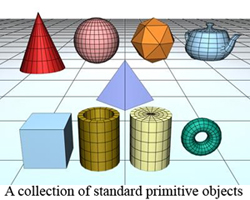
Working with Primitive Objects
a)
Using Keyboard Entry for Precise Dimensions
b)
Altering Object Parameters
c)
Primitive Object types
d)
Extended Primitives
4)
Spline Shapes
a)
Drawing in 2D
c)
Understanding Spline Primitives
d)
Making Splines Renderable
e)
Editing Vertices, Segments, Spline Subobjects
f)
Controlling Spline Geometry
   
   
PHASE - II
5)
Creating Patches
a)
Introducing Patch Grids
b)
Editing Patches
c)
Converting to an Editable Patch
d)
Editing Patch Sub-Objects and Modifying Patches
6)
NURBS
a)
Understanding NURBS Curves and Surfaces
b)
Creating and Editing NURBS
7)
Modifying Objects
a)
Using the Modify Panel
b)
Modifying Object Parameters
c)
Exploring Mofifier Types
d)
Working with the Modifier Stack
e)
Copying Modifiers
f)
Collapsing the stack
g)
Modifying Subobjects
8)
a)
Meshes
b)
Parametric versus Non-Parametric
c)
Creating an editable Mesh Object
d)
Editing a Mesh Object
e)
Editing Vertices and Edges
f)
Editing Face, Polygon and Element Sub-Objects
g)
Modifying Meshes
9)
a)
Loft Objects
b)
Creating a Loft Object
c)
Using the Get Shape and Get Path Buttons
d)
Controlling Loft Parameters and setting Skin Parameters
e)
Using Deformations
f)
Modifying Loft Subobjects
10)
a)
Compound Objects
b)
Understanding Compound Object types
c)
Modeling with Boolean Objects
d)
Morphing Objects
e)
Creating different Objects
 
PHASE III
11)
a)
Exploring the Material Editor
b)
Understanding Material properties
c)
Working with the Material Editor
d)
Using the Sample Slots
e)
Applying and using Standard Materials
f)
Extended Parameters
g)
Dynamic Properties
h)
Using different Materials
12)
a)
Using Material Maps
b)
Understanding Maps and Material Map Types
c)
Common Parameters
d)
2D Maps
e)
Compositors and Color Modifiers
f)
Reflection and Refraction
g)
The Maps Rollout
h)
Creating new materials, Animating materials and applying multiple materials
13)
a)
Lights
b)
Basics of Lighting
c)
Understanding Light types
d)
Viewing a scene from a light
e)
Altering Light Parameters
f)
Lighting special effects
g)
Using Volume lights, Projector Maps and Raytraced Shadows
14)
a)
Cameras
b)
Understanding Cameras
c)
Creating Camera Object and a Camera View
d)
Camera Viewport Controls
e)
Setting Camera Parameters
f)
Aiming a Camera
15)
a)
Particle Systems
b)
Understanding the Various Particle Systems
c)
Creating a Particle System
d)
Setting Particle Parameters
e)
Using Particle Parameter Systems
16)
a)
Using Space Warps
b)
Creating and Binding Space Warps
c)
Space Warp Types
d)
Partlicles and Dynamics
 
 
PHASE IV
17)
a)
Animation Basics
b)
Using the animate button
c)
Working with keys
d)
Controlling time
e)
Using the Motion Command Panel
f)
Animating Objects
18)
a) Working with the Track View
b)
Track View modes
c)
Working with keys
d)
Using Visibility Tracks and the Level of Detail Utility
e)
Editing Time
f)
Working with Curves and Tangents
g)
Filtering Tracks
h)
Working with Controllers
i)
Synchronising to a Sound Track
19)
a)
Working with Backgrounds, Environments and Atmospheric Effects
b)
Creating an Environment and defining the Rendered Environment
c)
Using Atmospheric Apparatus Gizmos
d)
Creating Atmospheric Effects
20)
a)
Setting Rendering Parameters
b)
Understanding MAX Renderers
c)
Working with Previews
d)
Render Parameters
e)
Scanline A-Buffer Renderer
f)
Rendering preferences and Render types
21)
a)
Using the Video Post Interface
b)
Understanding Post-Production
c)
Using Video Post Dialog Box
d)
Adding, Editing and using Events
e)
Working with Ranges and Lens Effects Filters 
 
Do you want to Enquire about this Course?Please fill up the Enquiry Form given below
 
Enquire About This Course

Name :
     
Contact Number :
    (country_code-city_code-number)
e.g. +91-022-23676218
Email :
     
Course Of Interest :
     
Enquiry :


SOLVE YOUR QUERIES ONLINE
Email:
Google Talk:
Yahoo Messenger:
Rediff Bol:
MSN Messenger:
Skype Talk:
Contact Person:
Mr. Faiyaz Khairaz: +91 9819006132
Office Address:
Head Office: Chinoy Mansion, First Floor, Block # 2, Opposite St. Stephens Church, Warden Road,
Mumbai(Bombay) - 400 036, Contact No.:+91-22-23676218 / 23679302 / 9819006132.


"Compufield -computer Institute specialized in fast track courses-multimedia,web designing,software engineering,certification courses,fashion,jewellery,interior designing courses. India,Bombay(Mumbai)." "COMPUFIELD-Leader in Global IT Corporate training having more than 20yrs exp.Programs offered MS-Office, Advance Excel, Java, Oracle, Linux and many more.""Compufield : free e-greeting cards, animated, musical greetings, ecards, postcards for Christmas, xmas, new year, eid, diwali, valentine's day, birthday, friendship, anniversary, love, congratulations, Halloween."